Kentico CMS allows you to upload media files (such as GIF, JPG, SWF, PDF, XLS, DOC, etc.) to the Kentico CMS database or file system and manage them as any other content.
File management approaches
There are three types of media files from the file management perspective:
| • | Unmanaged files - these files are part of the web site theme and they should be stored in the <web project>\app_themes\<theme>\images folder on the disk. They usually include images and Flash animations used throughout the site. These files are not managed by the CMS system. |
| • | Managed, stand-alone files - these files are uploaded by the content editors as new documents in the content tree. You will typically use this type for files that are used as part of unstructured documents, such as document links or images inserted into the editable regions of the page. You may use documents of type Folder to organize the uploaded files: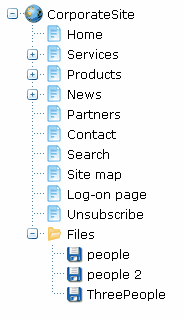 |
| • | Managed, document-bound files - these files are stored as a part of a structured document and their life cycle is also bound with the document (including workflow and versioning). You will typically use this type of files for structured content, such as product image uploaded to the product details form. When the document is deleted, the attached files are also deleted.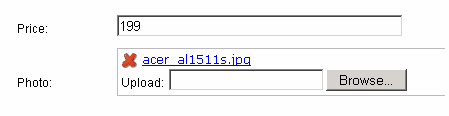 |