|
|

Security |

|

|

|

|
|
Security |
|
|

|
|
|
|
Security |
|
|
|
|
|
Security |
|
|
|
|
|
|
||
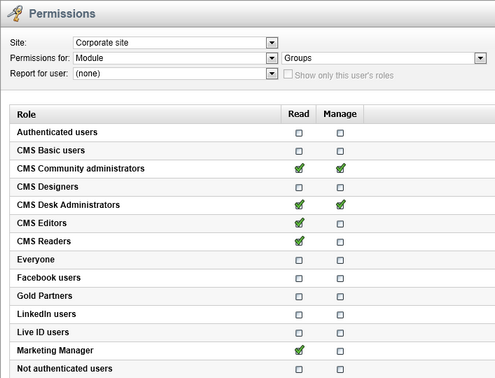
Permissions of the Groups module can be set in Site Manager -> Administration -> Permissions. The following permissions can be assigned to members of the particular roles:
•Manage - allows managing of groups via the administration interface
•Read - allows viewing group settings, but does not allow any changes to be made to them
Group pages permissions
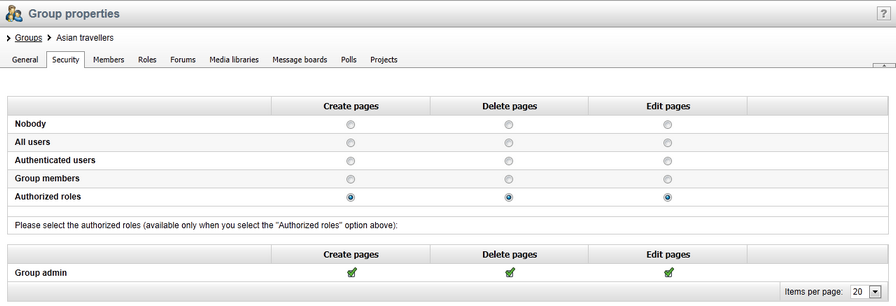
•Create pages - users can create group pages
•Delete pages - users can delete group pages
•Edit pages - users can edit group pages
These permissions can be assigned to:
•Nobody - nobody can perform the action
•All users - all users can perform the action
•Authenticated users - only signed-in users can perform the action, i.e. anonymous public users can't perform it
•Group members - only group members can perform the action, i.e. authenticated non-group members and anonymous users can't perform it
•Authorized roles - only members of the group roles selected below can perform the action
|
Group admin's permissions
Group administrators can perform any of these actions, even if they haven't the permissions assigned.
|