Kentico CMS allows you to perform index-based search all documents in Kentico CMS repository. For this to work, you need to have a search index created. Go to Site Manager -> Administration -> Smart search and choose to create a New index ( ). In the following dialog, enter the following details:
| • | Display name: My web site |
| • | Code name: MyWebSite |
| • | Analyzer type: Standard |
| • | Assign index to website MyWebSite: enabled |
Click OK. You will be redirected to the index's editing interface. Switch to the Index tab and click Add allowed content ( ). In the following dialog, enter /% into the Path field and click OK. Switch to the Sites tab and make sure that the index is assigned to My web site. Click Save. Switch to the Cultures tab and choose the default culture of your site (typically English - United States). Click Save.
Finally, switch to the General tab and choose to Rebuild ( ) the index. Once the index gets rebuilt, the site is prepared to be searched.
Now we need to create the search page. Click root, click New and choose to create a new Page (menu item). Enter page name Search and choose the General/Search page template. Click Save.
Click the Down arrow in the main toolbar until you move the Search page at the end of the list.
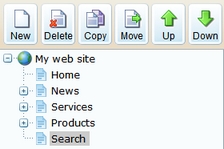
Switch to the Design tab, choose to Configure ( ) the SearchDialogWithResults web part and choose the previously created index in its Indexes property. Click OK.
Now switch to the live site and view the page. Enter PC in the Search for box and click Search.
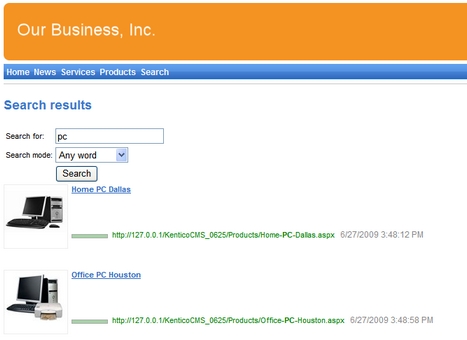
When you click some search result, you are redirected to the appropriate document.
|
Modifying the search results format
If you prefer a different design of the search results, you can modify the format in Site Manager -> Development -> Document types -> Root -> Transformations -> searchresults transformation. |
