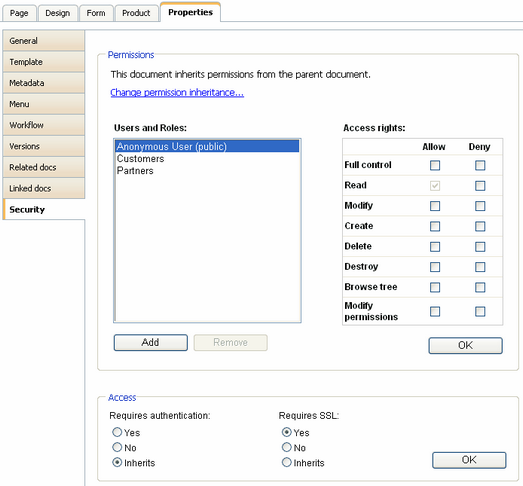
Kentico CMS allows you to specify which pages of the web site can be displayed only over the secured SSL (HTTPS) protocol. When a user tries to open such a page with standard HTTP protocol, she is redirected to the secured (HTTPS) URL of the same page.
Please note: Kentico CMS doesn't configure your web site for SSL/HTTPS, you need to do this manually using standard IIS settings as described in IIS documentation or in this article: http://msdn.microsoft.com/cs-cz/magazine/cc301946(en-us).aspx
In order to specify which pages should be available only through the SSL protocol, you need to go to CMS Desk -> Content, select the document in the content tree, click Properties -> Security, choose Yes in the Requires SSL section and click OK.