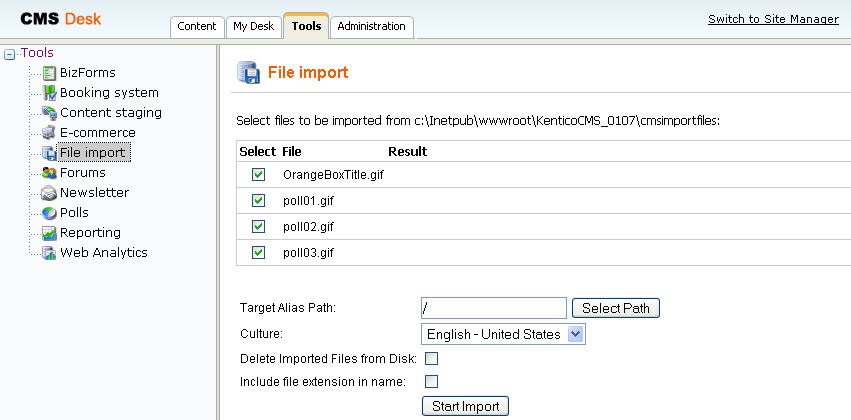
The file import module allows you to import many files including their folder structure from the disk to Kentico CMS content repository, so that you do not have to upload them one-by-one using the user interface.
You can find the File import module in CMS Desk -> Tools -> File import. The label at the top displays the folder where the files are imported from. If the folder doesn't exist, you may need to create it on the disk.
You can also configure a custom file import path in Site Manager -> Settings -> Files -> File import folder.
After you upload the files to the given folder, you may need to refresh the page by clicking File import again. Now you should see the list of files with checkboxes that allow you to choose which files should be imported. You can also choose where the files will be stored in the content tree and if you want to delete the files from the disk once they are imported.