The access to the BizForms module can be managed in CMS Desk -> Administration -> Permissions, after you select Module: BizForms in the drop-down list:
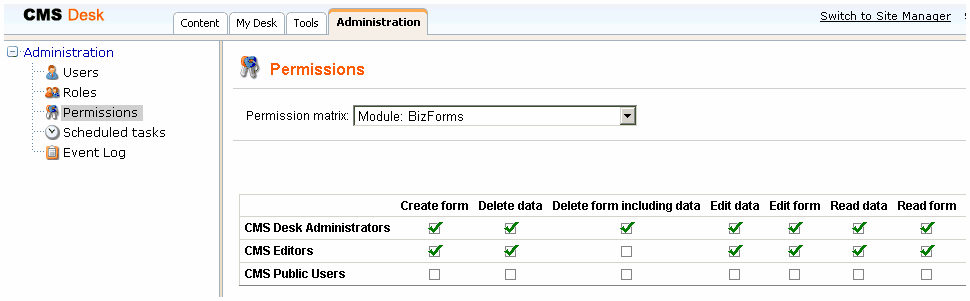
The following table explains particular permissions:
Create form |
The user is allowed to create a new form. |
Delete data |
The user is allowed to delete entered records. |
Delete form including data |
The user is allowed to delete the form including data. |
Edit data |
The user is allowed to create and edit records. |
Edit form |
The user is allowed to edit form configuration, fields and layout. |
Read data |
The user is allowed to read entered records. |
Read form |
The user is allowed to read form configuration, field settings and layout. |
Security for particular forms
You can specify which roles are authorized to read and modify a form and its data on a form level. Open the properties of the given form and switch to the Security tab. Here you can specify which roles are allowed to use this form:
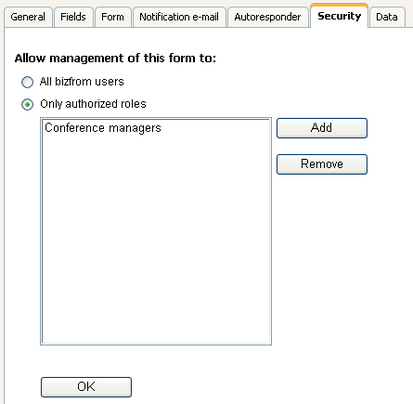
The form will be hidden to other roles then.
Please note: the role must be granted with permissions for the BizForms module. Then, you can further customize the access to particular BizForms. The fact that the role is granted with access to the given form is not sufficient.