You can control the access to the Newsletter module in CMS Desk -> Administration -> Permissions, after you select Module: Newsletter in the drop-down list:
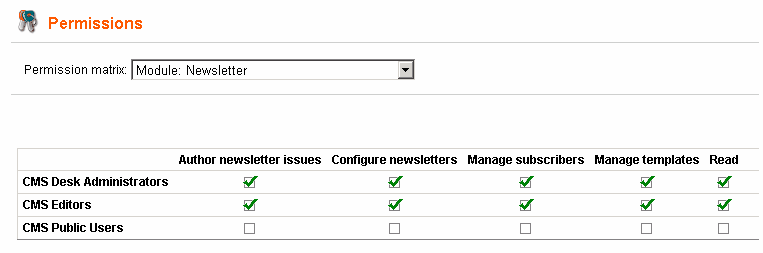
The following table explains particular permission names:
Author newsletter issues |
The user is allowed to create and edit newsletter issues. |
Configure newsletters |
The user is allowed to configure newsletter settings. |
Manage subscribers |
The user is allowed to create/edit/delete subscribers. |
Manage templates |
The user is allowed to create/edit/delete e-mail templates used by the Newsletter module. |
Read |
The user is allowed to read all data of the Newsletter module. |